By default, each group has 3 default roles that can be assigned to members, Owner, Manager, and Member.
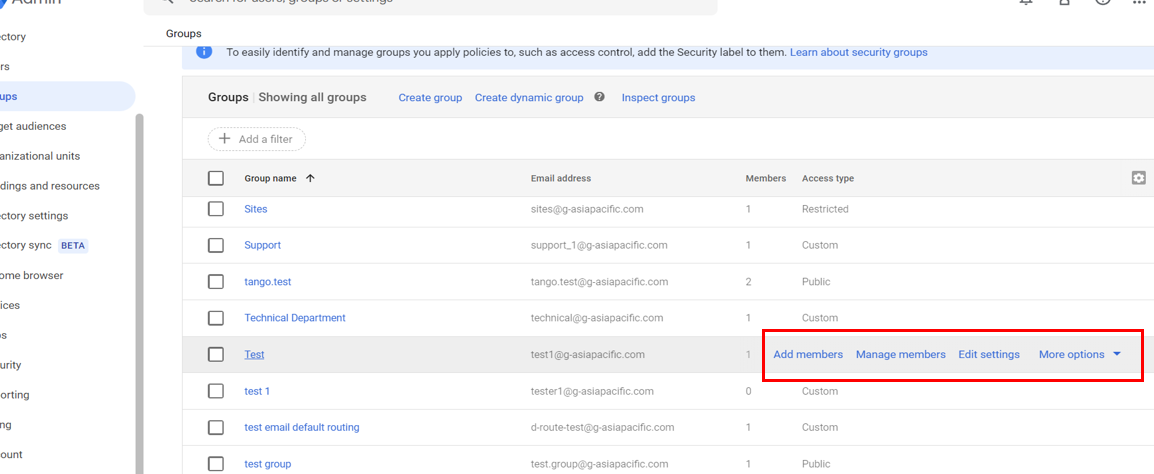
1. Under your Groups Table, on your group, there will be options to manage your group (highlighted in red). To see more options and how to manage your group, Click on the name of your group.
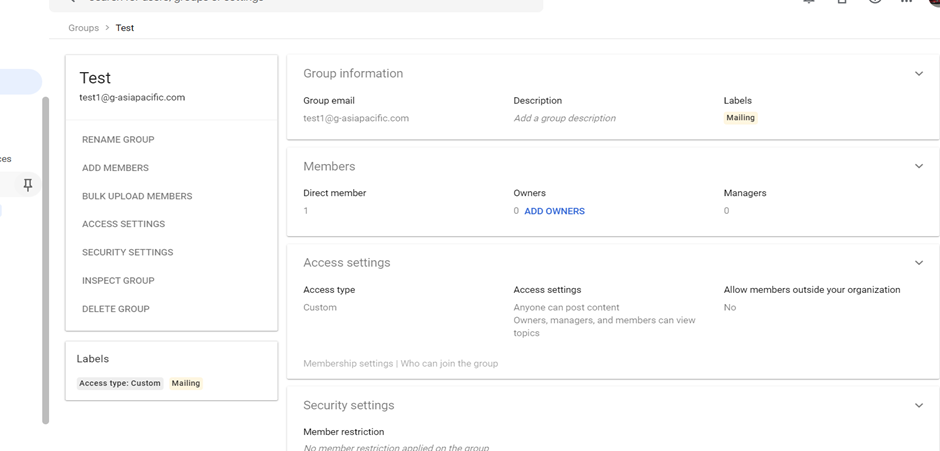
2. This page will show you details and information on your group. This page will also shows you what you can do to manage your group.
Was this article helpful?
That’s Great!
Thank you for your feedback
Sorry! We couldn't be helpful
Thank you for your feedback
Feedback sent
We appreciate your effort and will try to fix the article