Scenario : We have a user named Gerrard Waye. We would want this user to be added automatically to a group if he is in a designated Organizational Unit (OU). If Gerrard Waye is moved from Employees OU to Test OU, this user will be added automatically to Test Group.
Solution : We will create a Dynamic Group titled “Test Group”. We will configure this group to detect if any users are in the Test OU, those users will be added automatically to the “Test Group”.
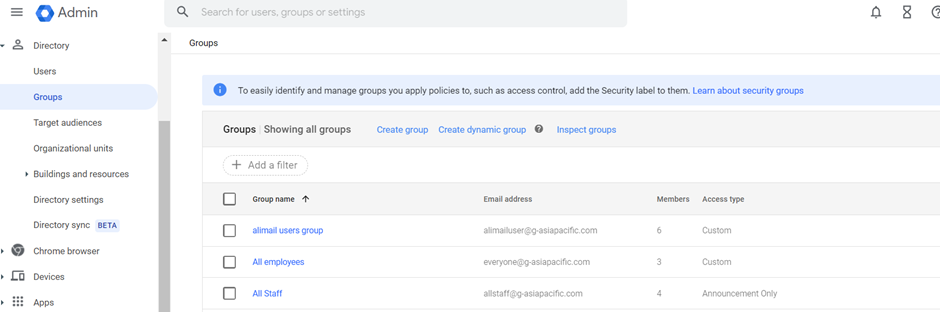
1. Firstly, navigate to this directory in your admin console, Directory > Groups. Then click on Create dynamic group.
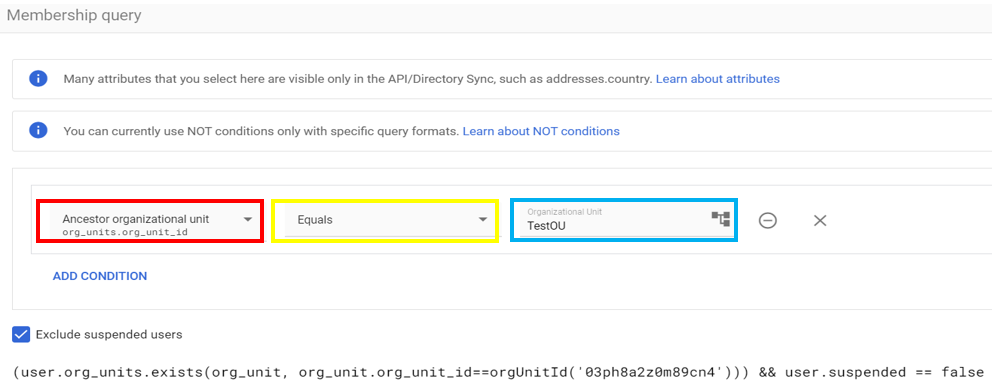
2. Now, we are going to create a membership query. Under condition, find for “Ancestor Organizational Unit” (red) , beside that, choose equal (yellow) , and then on the right side of your query, choose your designated OU that you would want to retrieve the users from (blue). The users under the chosen OU will then be added automatically into this dynamic group. Once done, click preview.
Note : A membership query is a condition that a user would need to have in order to be added to the created dynamic group.
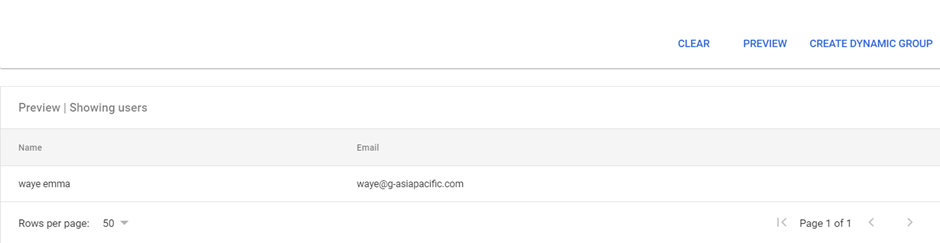
3. This will be the users that fit the description of the condition you have set. Next, click create dynamic group.
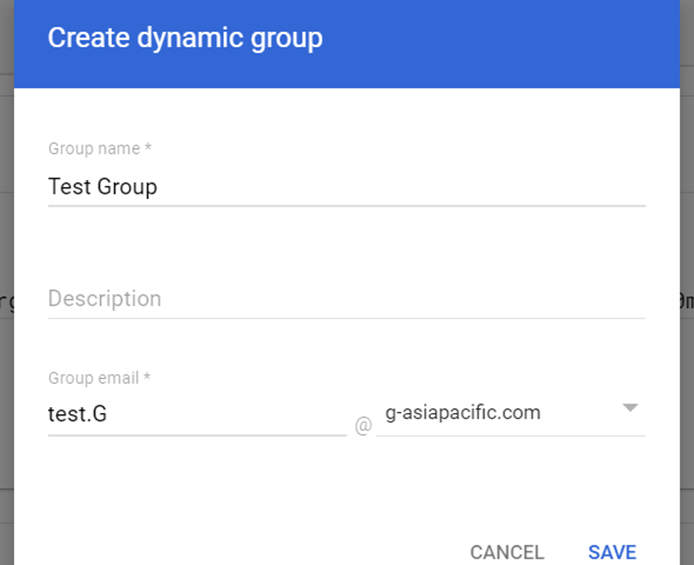
4. Add your Group Name and Group Email. The description is optional. Click Save.
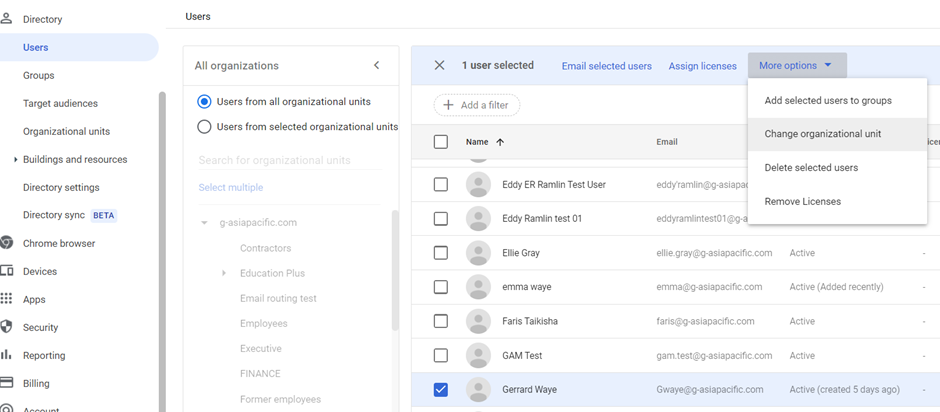
5. Once done, your dynamic group that you have just created should appear in under your Groups Table. Now to test the usability of the group’s dynamic feature to add members automatically, find for Gerrard Waye under the Users Tab and tick the user. Next, Click more Options at the top and choose “Change Organizational Unit”.
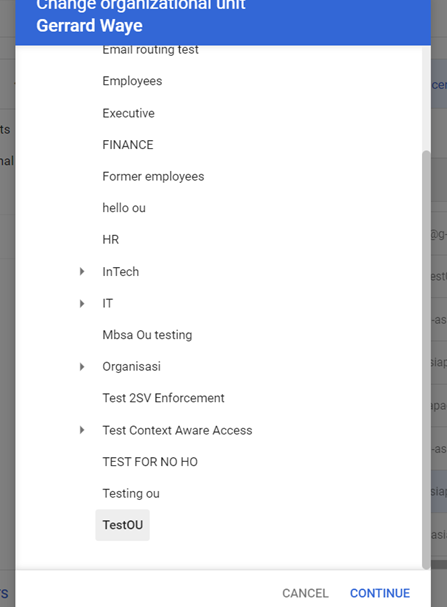
6. Find for TestOU, choose that OU and click Continue.
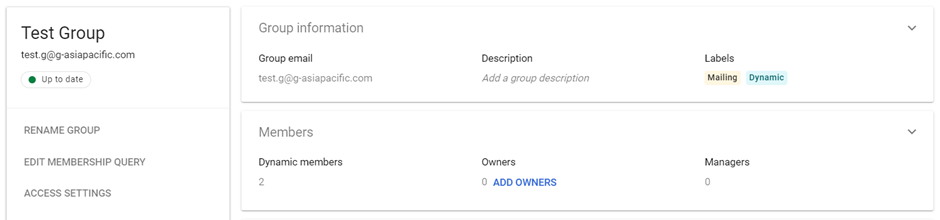
7. Navigate to Groups and search for the previously created dynamic group, Test Group. Click on that group and click on the dropdown of the members tab.
8. You should be able to see that Gerrard Waye has been added to this group after the user was added into an OU.
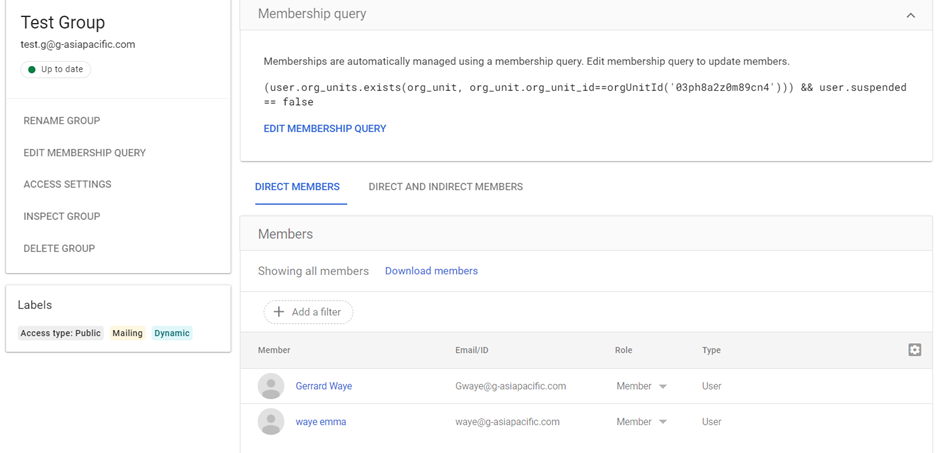
Note : The changes will take a couple of minutes before it actually reflects correctly under the members table of your group
Was this article helpful?
That’s Great!
Thank you for your feedback
Sorry! We couldn't be helpful
Thank you for your feedback
Feedback sent
We appreciate your effort and will try to fix the article