We are going to create a content compliance rule for a specific user. This rule with restrict the user from sending out an email or start a conversation to email groups.
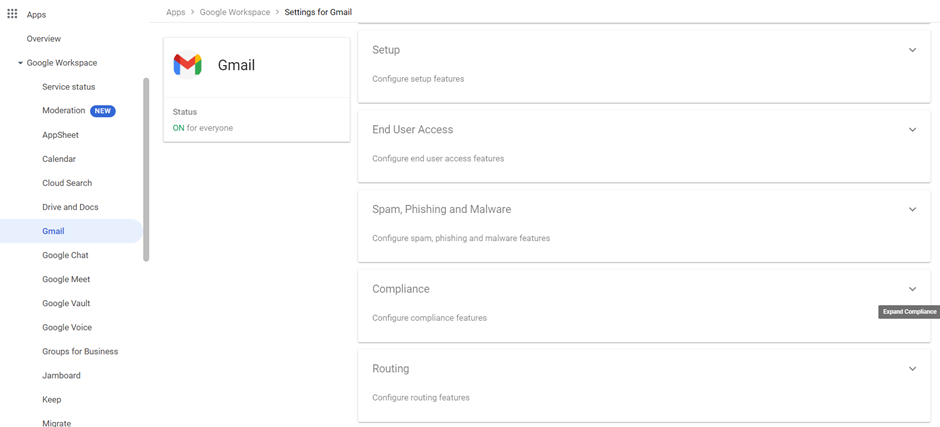
1. In your Google Admin Console, Navigate to Apps > Google Workspace > Gmail > Compliance. Click on the dropdown shown below.
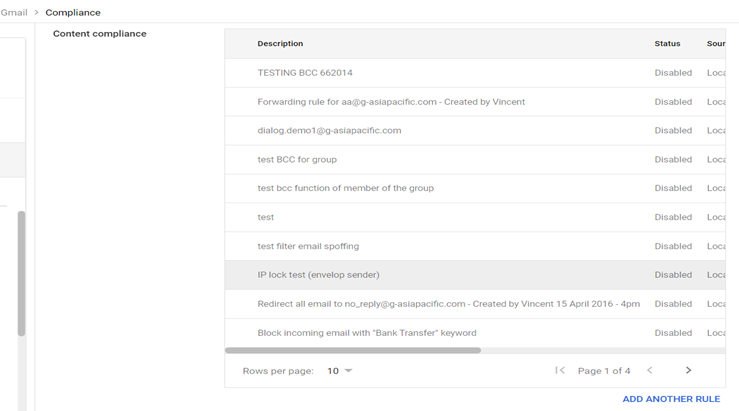
2. In the Compliance page, search for Content Compliance and click on Add Another Rule. There will be a chance where you do not have rules added yet, this button will show the word “Configure” instead.
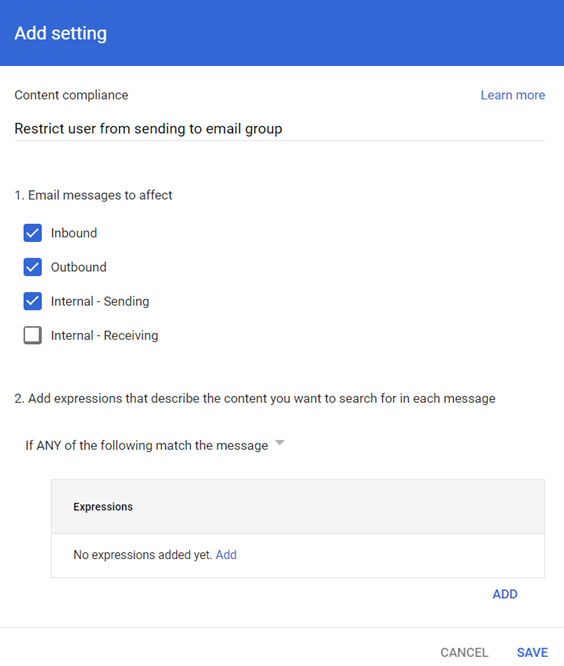
3. Now, the add settings will pop up. Enter a brief explanation of your rule, in this case you can put “Restrict user from sending to email group”. Next, Tick Inbound, Outbound and Internal-Sending. Then, click on add to add configurations for your rule.
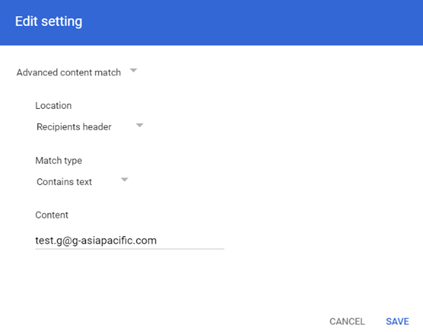
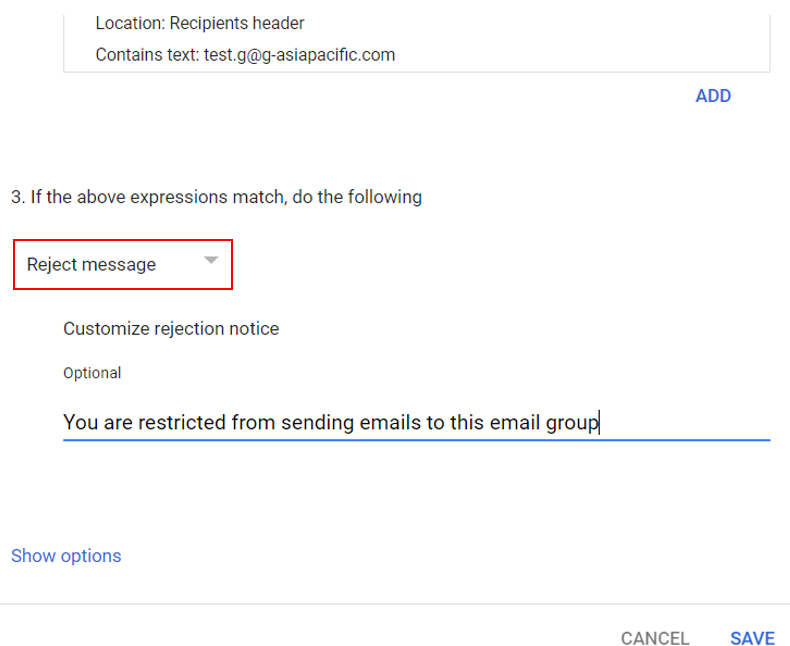
4. You are then going to select Advanced Content Match, Choose “Recipients Header”, “Contains Text” and your designated group’s email address for the Location, Match Type and Content respectively.
5. Now, if the expressions / rule match, you would want to restrict / reject the message. In the dropdown select “Reject Message” and add a message to be shown to the user the cause of the rejected email.
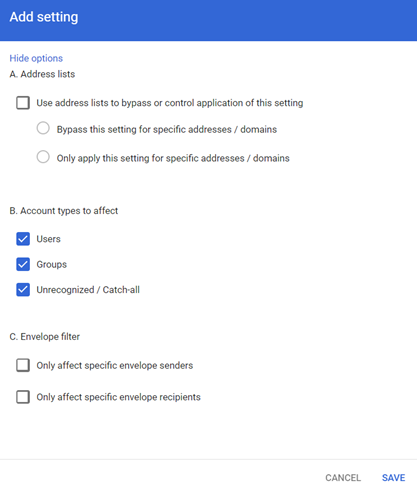
6. Lastly, Click on Show Options and Choose Groups and Unrecognized / Catch all options under the Account types to affect. Then, click on Save.
7. It will take a couple of minutes for the rule to be applied, be sure to check if the rule that you have created under content compliance has been enabled.

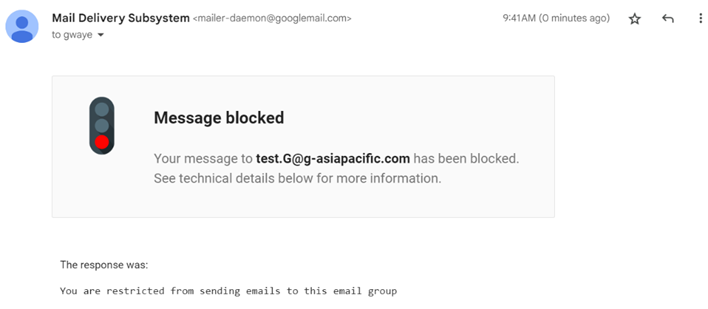
8. When you do test this rule, there will be a notification stating the reason for your email being blocked.
Note : The rule that has just been created is for users to not be able to send emails to the group. It is also possible to do it in reverse where you can choose a specific user from sending emails to any email groups depending on your requirements and configuration of expression.
Was this article helpful?
That’s Great!
Thank you for your feedback
Sorry! We couldn't be helpful
Thank you for your feedback
Feedback sent
We appreciate your effort and will try to fix the article