Reference :
https://support.google.com/a/answer/6280516?hl=en&fl=1&sjid=14864968359667100271-NC
https://knowledge.workspace.google.com/kb/prevent-users-from-sending-attachments-in-gmail-000006910
1. Navigate to Apps > Google Workspace > Gmail. In this page find for compliance and select the tab.
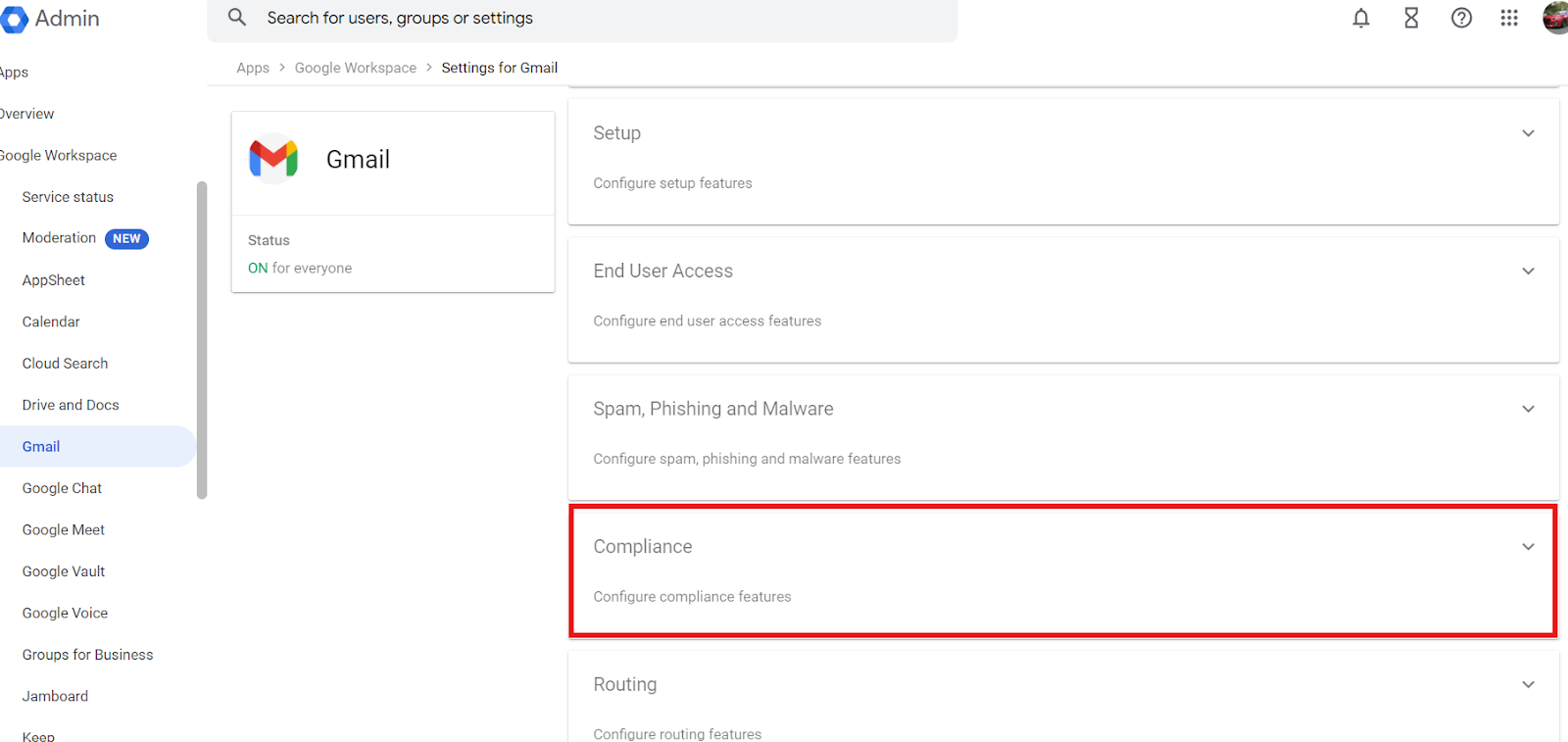
2. Choose your designated OU on the left, and find for Attachment Compliance on the right side of the page. If you have added a rule before, the button should appear as Add Another Rule, if not then it should say configure.
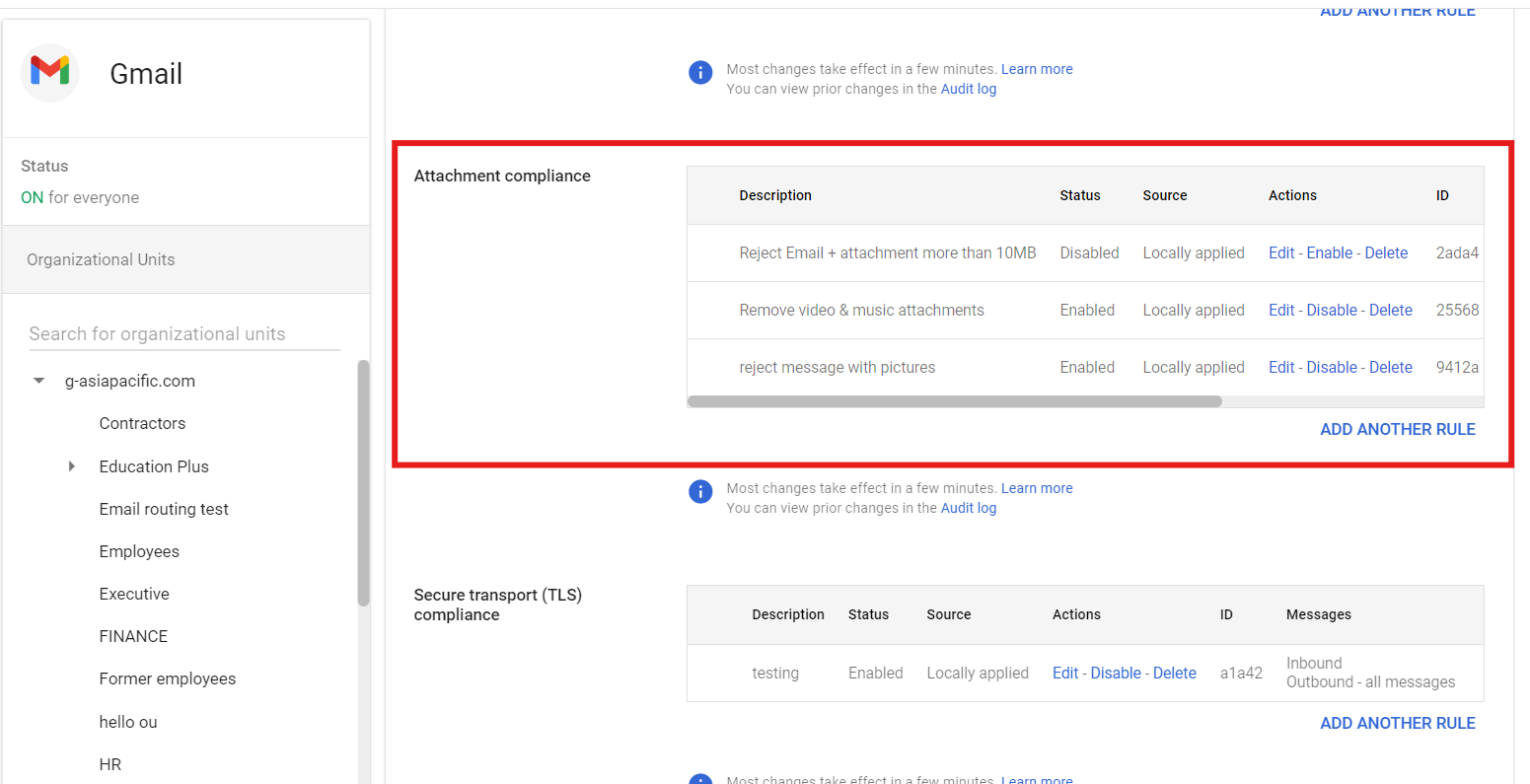
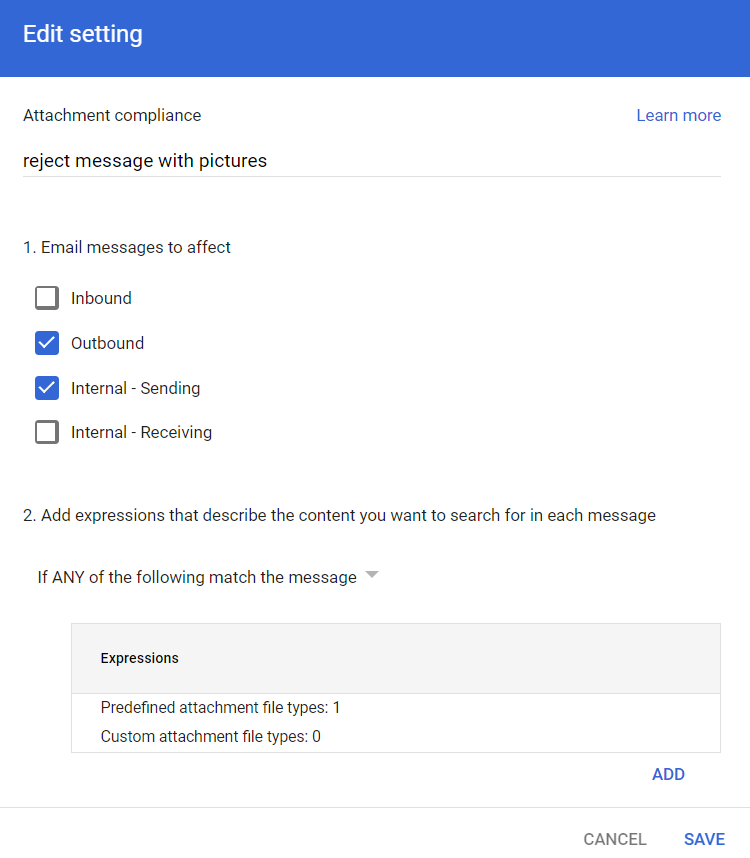
3. In this scenario, we will be rejecting and or quarantining emails that has an attachment. We are going to add a rule that rejects the email or even quarantine the email for admin's approval. Add the name of your rule, choose Outbound and Internal Sending, and then add an expression.
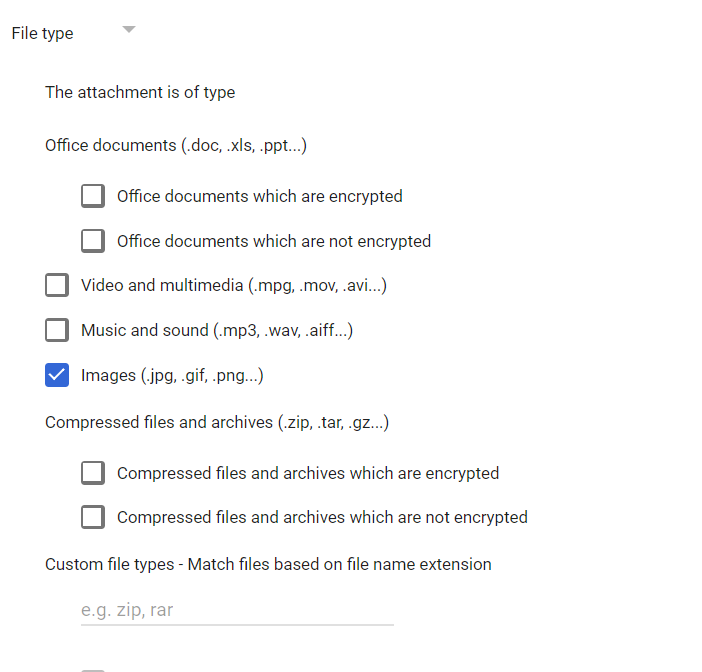
4. In the edit settings page, choose File type and select and tick "Images (.jpg, .gif, . png...). Click Save.
5. Lastly, Click either reject or quarantine the message. Add an optional note to notify the user the reason behind the rejection of the message. Then Click Save.
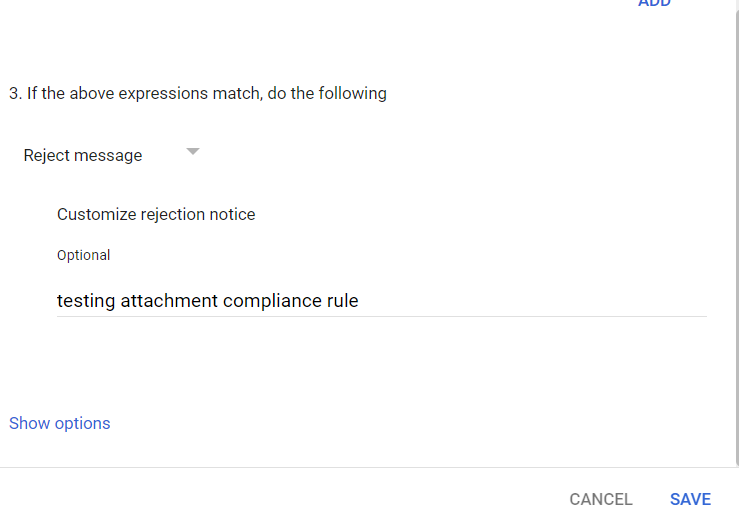
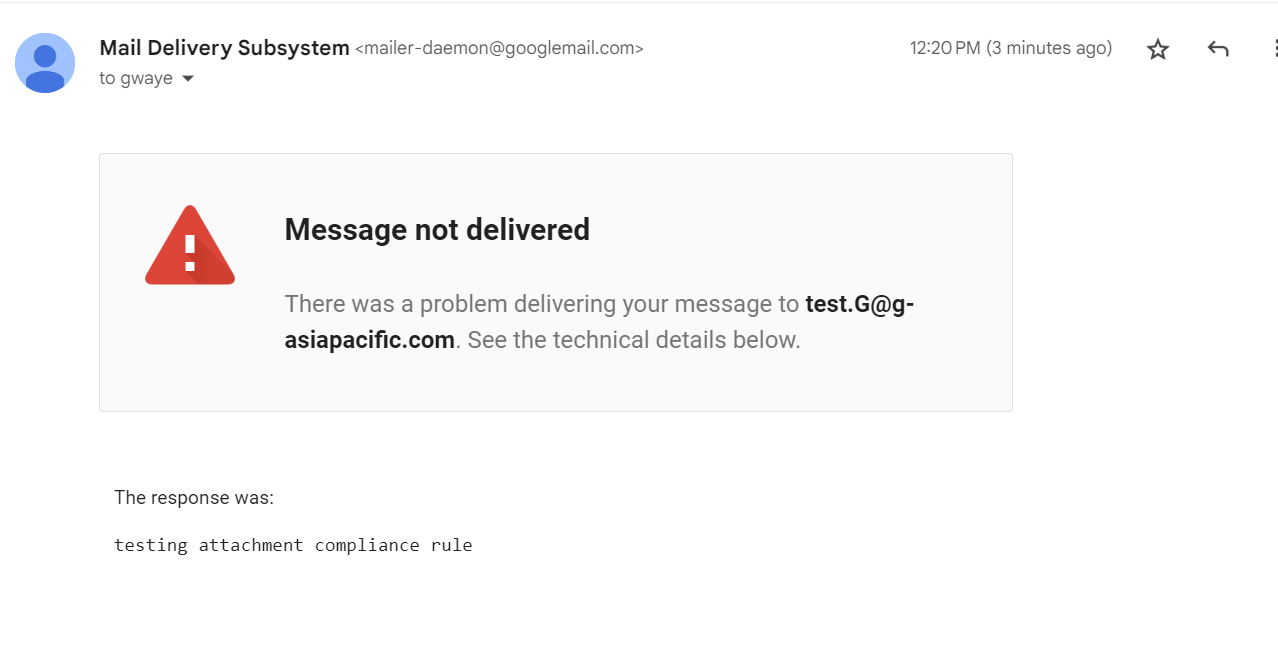
6. Wait for a couple of minutes for the changes to properly set either globally or throughout the OU. When actually testing the rule, a bounce back email should show in the sender's inbox. This email will basically say that the recent email sent by the sender has been rejected. Be sure to enable this rule in the attachment compliance table before testing it.
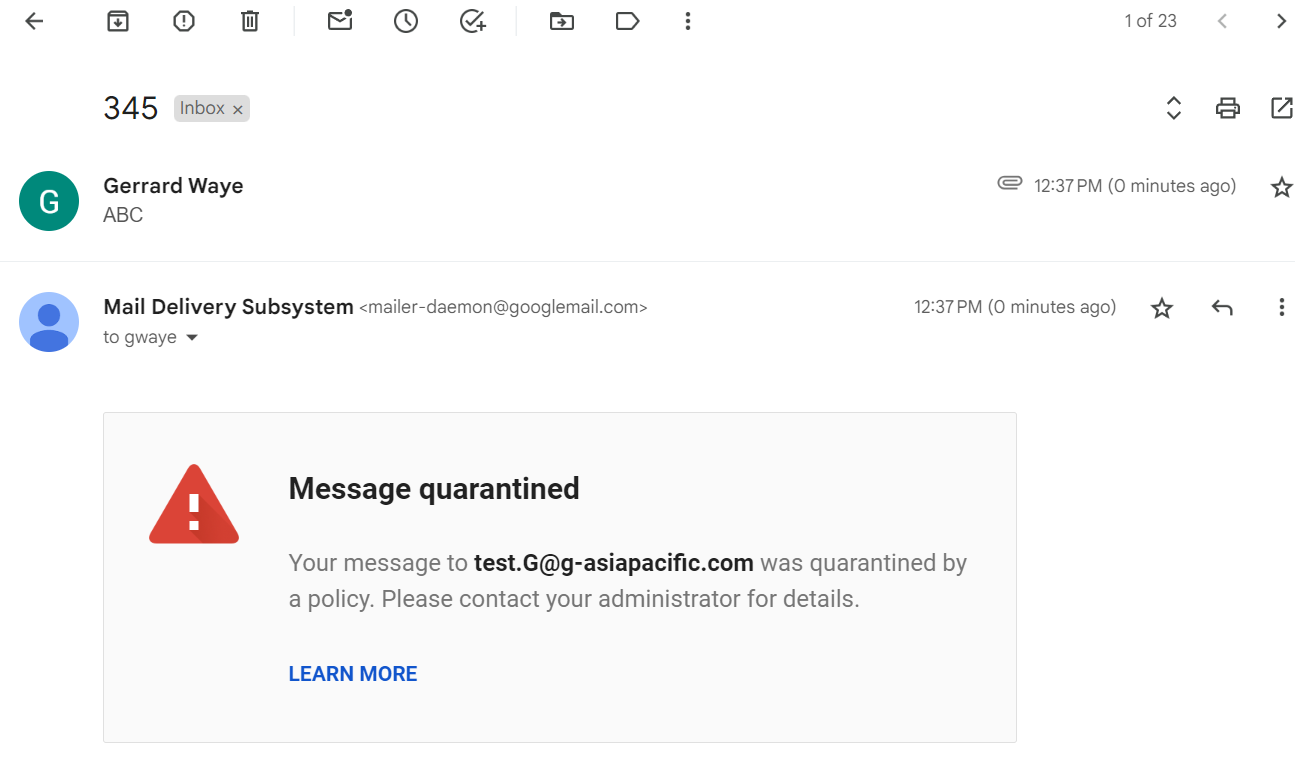
7. If you have chosen to quarantine the message instead, you will have received this email notifying the sender that the email would need to be approved by your admin.
Was this article helpful?
That’s Great!
Thank you for your feedback
Sorry! We couldn't be helpful
Thank you for your feedback
Feedback sent
We appreciate your effort and will try to fix the article