a. Bulk Creation
By default, Google Workspace does not have a built-in function to mass create groups but there is still a way to do this using Google Apps Manager (GAM). Follow this link to install GAM https://github.com/GAM-team/GAM/wiki. Once you have successfully setup and installed GAM, follow these steps.
1. Create a .csv file containing your Group’s name, email and description. Save the file locally.
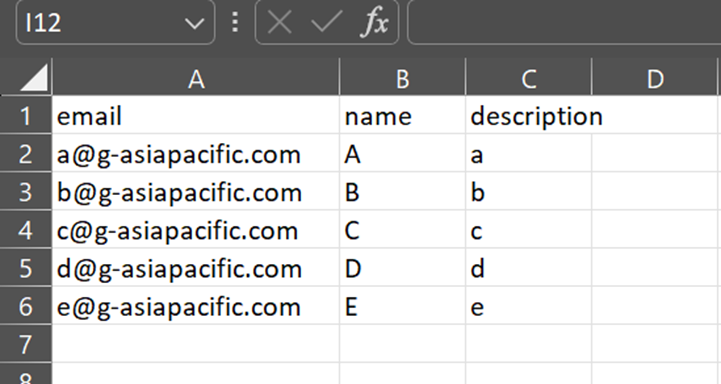
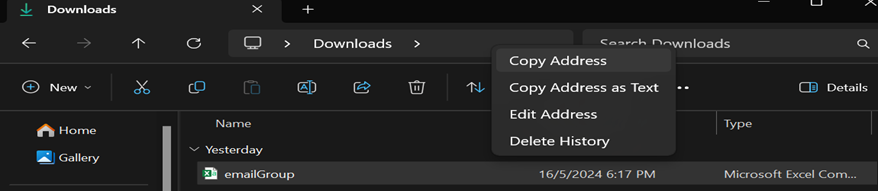
2. Open Windows Powershell ISE and navigate to your file. Simplest way to do this is to open your file explorer and copy the address. Then in your Powershell terminal type : cd [paste your address], and then click enter.

3. Now you are going to add your groups with the details provided in your csv file. The command will be :
gam csv [your csv file name] gam create group ~email name ~name description ~description
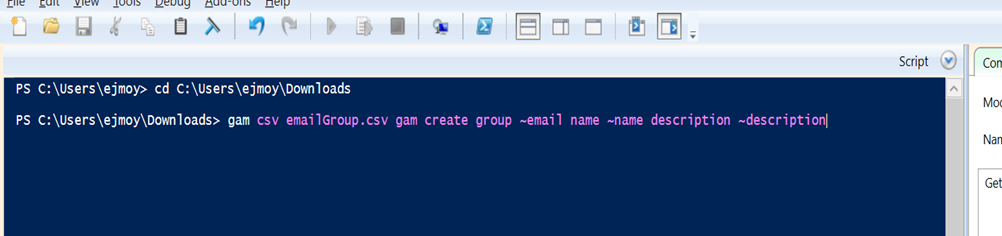
Then click enter.
4. If you encounter an error when executing the command, ignore this if you see the groups being created. (“Creating group a@g-asiapacific.com....”)
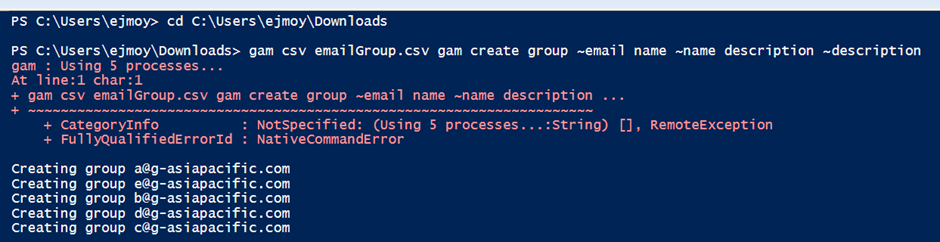
Check your Google Admin Console and verify that the groups have been created.
Note : GAM is a third-party software/ program. You would need an admin level-access to setup GAM in your environment.
b. Bulk Deletion
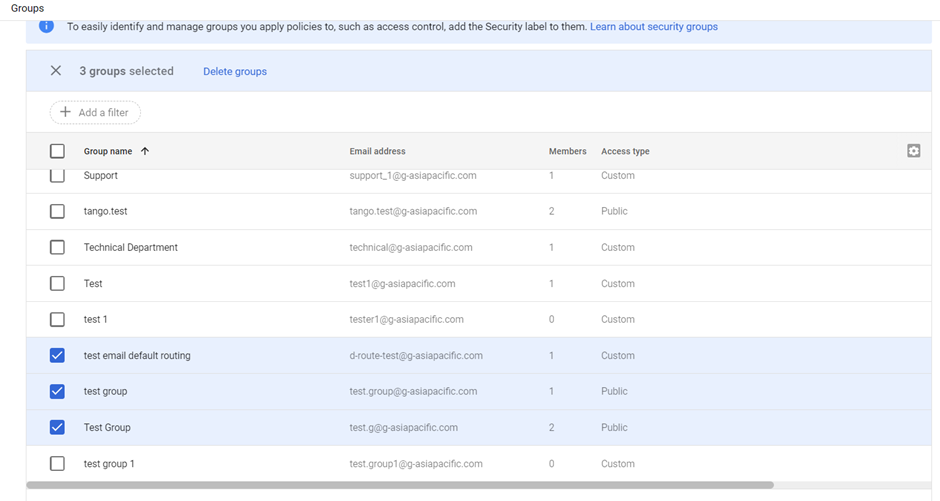
1. In your groups page on the left hand side of the table, tick which groups would like to delete, then click on Delete Groups at the top of the table.
c. Retrieve Members list and Owner of Group
1. In your Group’s page, click on the Members tab.
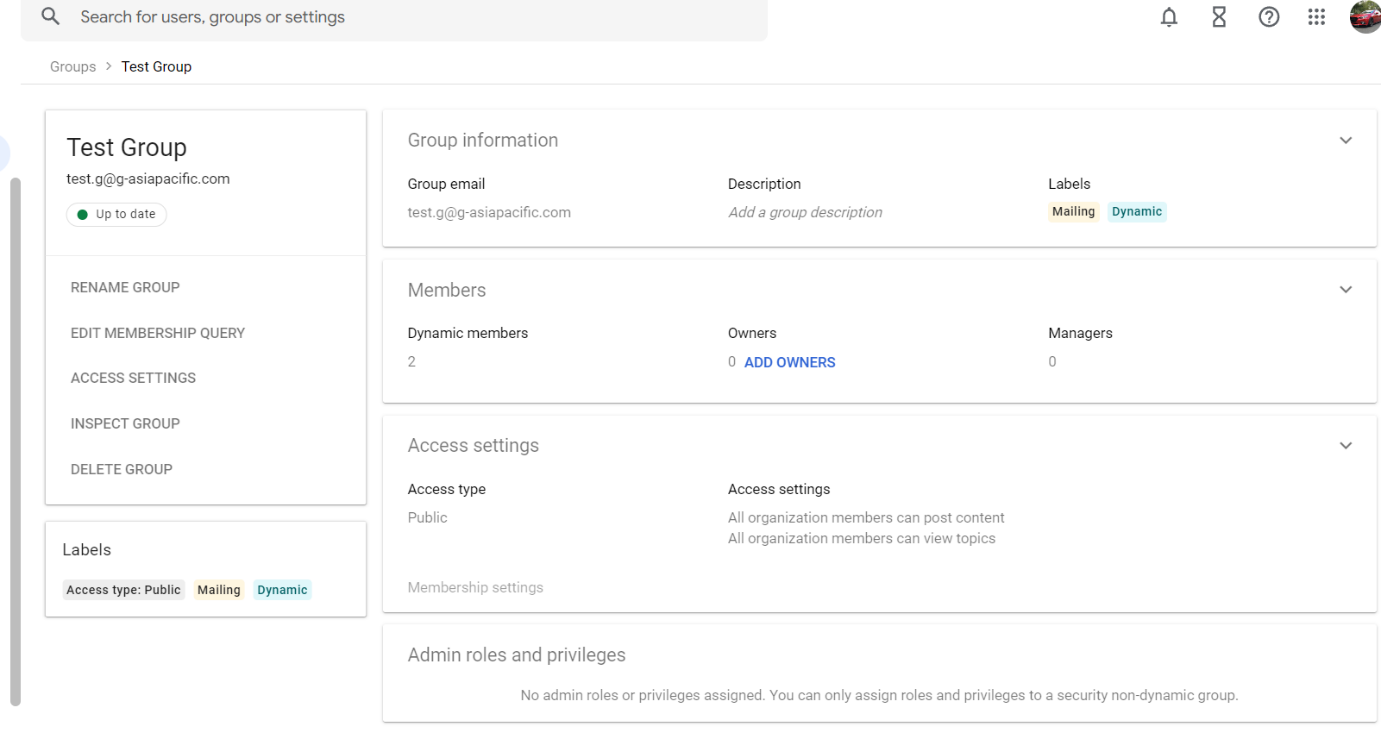
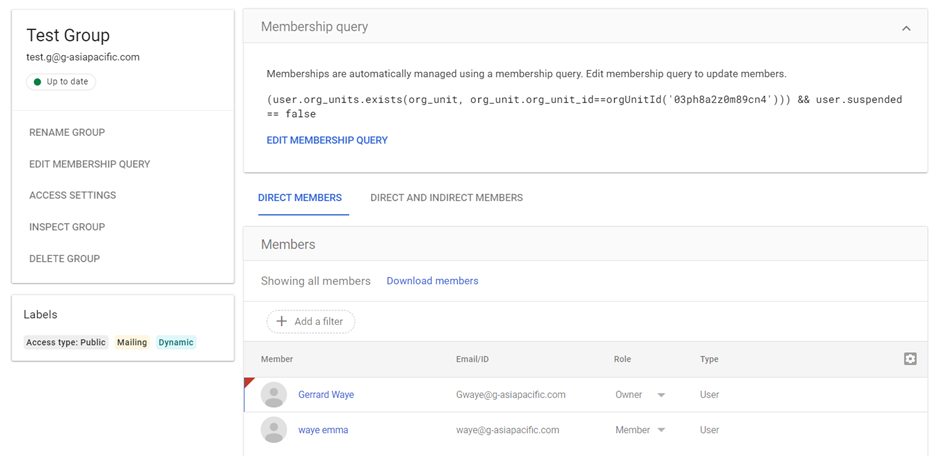
2. This page will show you the membership query if the group was created in a dynamic way (condition to join the group).
Was this article helpful?
That’s Great!
Thank you for your feedback
Sorry! We couldn't be helpful
Thank you for your feedback
Feedback sent
We appreciate your effort and will try to fix the article